
PTZ Conference Camera Buying Guide: How to Choose the Right Professional Camera for Your Meeting Space
Start with Your Room Size: Match Camera Specs to Your Space
Choosing the right PTZ conference camera starts with understanding your meeting environment. Room size and seating capacity directly affect the zoom range, field of view, and video quality you need.
| Meeting Room Type | Room Size | Capacity | Recommended Optical Zoom | Resolution | Field of View |
|---|---|---|---|---|---|
| Small Room | Up to 20㎡ | 1–6 people | 10X Optical Zoom | 1080P / 4K | 70°–90° |
| Medium Room | 20–40㎡ | 6–15 people | 12X–20X Optical Zoom | 4K Recommended | 60°–80° |
| Large Room | 40㎡+ | 15+ people | 20X–30X Optical Zoom | 4K @ 60fps | 50°–70° |
| Auditorium / Lecture Hall | 100㎡+ | 50+ people | 30X+ Optical Zoom | 4K Broadcast Sensor | 40°–60° |
Key tip: The larger the room, the more optical zoom you need. A narrower viewing angle can help capture participants clearly from longer distances.
2.Key Features to Consider Before Buying
1) Resolution & Frame Rate: The Foundation of Video Quality
Video clarity is essential for modern meetings and hybrid collaboration.
- 4K (3840×2160) @ 30fps
The most popular choice for conference rooms. Sharp image quality with excellent detail. - 4K @ 60fps
Best for premium meeting spaces, live presentations, and professional streaming. - 1080P @ 60fps
A reliable and budget-friendly option with universal software compatibility.
Pro tip: Choose cameras with built-in hardware encoding for smoother performance and lower latency.
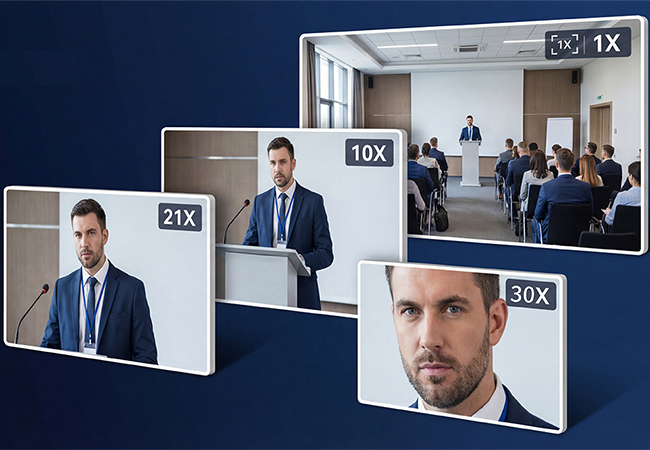
2) Optical Zoom: One of the Most Important Features
Zoom capability determines how well the camera captures people at a distance.
- Optical Zoom (10X / 12X / 20X / 30X)
Maintains full image quality with no loss of detail. - Digital Zoom
Useful as a supplement, but image quality decreases at higher zoom levels.
Recommended by room size:
- Small rooms: 10X–12X
- Medium rooms: 20X
- Large rooms / auditoriums: 30X+
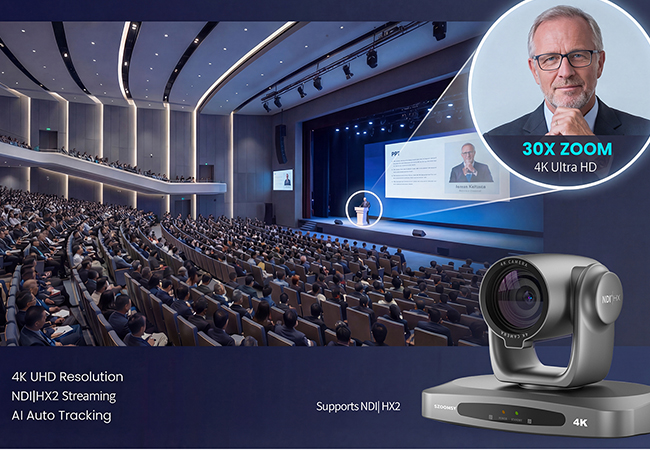
3) PTZ Performance: Flexible and Smooth Camera Movement
A professional PTZ camera should move smoothly and quietly.
Recommended performance:
- Pan: 340° or wider
- Tilt: 120° or more
- Speed: Adjustable from 1–120°/sec
- Quiet motor design: Essential for distraction-free meetings
Fast movement helps during live switching, while slower movement allows precise framing.
4) Sensor & Low-Light Performance
Conference rooms often have uneven lighting. A strong sensor matters.
Look for:
- 1/2.8″ sensor or larger
- 8MP+ for 4K
- 2MP+ for 1080P
- F1.8–F2.0 aperture
- Auto Gain Control (AGC)
- Noise reduction
- Backlight compensation
- Wide Dynamic Range (WDR)
These features improve image quality in low-light or mixed-light environments.
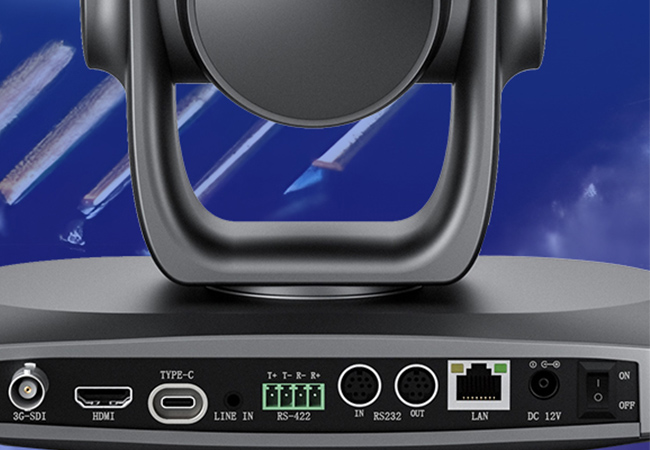
5) Connectivity & Compatibility
Flexible connectivity makes installation easier.
| Interface | Best For | Recommended |
|---|---|---|
| USB 3.0 / 3.2 | Plug-and-play video meetings | Essential |
| HDMI 2.0+ | Local monitor / recording | Recommended |
| IP / LAN | Remote camera control | Essential for pro setups |
| **NDI | HX2** | Low-latency streaming |
| SDI | Long-distance broadcast video | Ideal for auditoriums |
Before purchasing, confirm support for:
- Zoom
- Microsoft Teams
- Google Meet
- Cisco Webex
And camera control protocols:
- VISCA
- VISCA over IP
- Pelco-D / Pelco-P
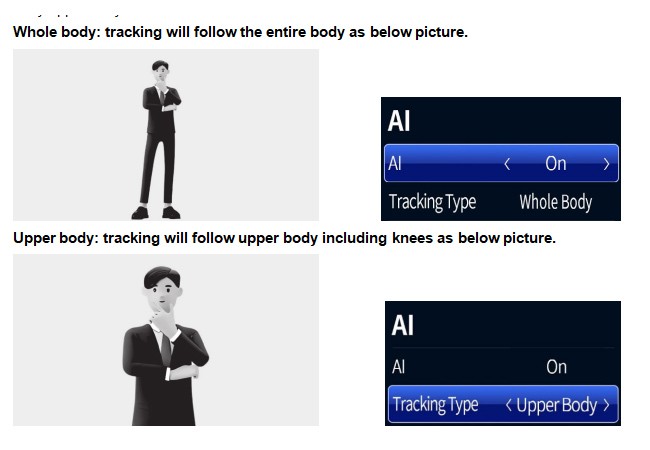
6) AI Smart Features for Better Meeting Efficiency
Modern PTZ conference cameras can automate framing and tracking.
Useful AI functions include:
- Auto Framing
Automatically adjusts framing based on participant count. - Presenter Tracking
Follows the active speaker or presenter. - Face Detection / People Counting
- AI Noise Reduction
Important: Some AI features may only work in specific video modes. Check product details before buying
SZOOMSY Expert Tips: Avoid Common Mistakes
1. Prioritize optical zoom over digital zoom
Optical zoom preserves image quality. For 20X or higher, optical zoom is strongly recommended.
2. 4K isn’t always the best choice
If bandwidth is limited, 1080P @ 60fps may deliver a smoother meeting experience.
3. Adjustable PTZ speed matters
Fast for switching. Slow for precise framing.
4. More connectivity means more flexibility
USB + HDMI + IP is a highly practical combination.
5. Choose AI features based on your real needs
Small rooms may not need advanced speaker tracking.
Quick 3-Step Buying Checklist
Step 1: Measure your meeting room
Check room size and viewing distance.
Step 2: Define your main use
Video meetings
- USB + HDMI
- 10X–12X optical zoom
- 4K @ 30fps
Professional livestreaming
- NDI + SDI
- 20X+ zoom
- 4K @ 60fps
- AI tracking
Large events
- 30X+
- Broadcast sensor
- Professional outputs
Step 3: Set your budget
Prioritize:
✔ Optical zoom
✔ Sensor quality
✔ Required connectivity
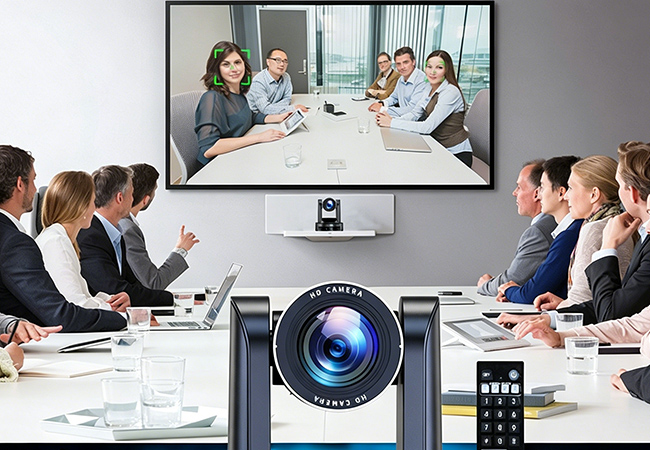
Recommended PTZ Camera Solutions by Application
Small Meeting Rooms (1–6 people)
Recommended: SZOOMSY 4K 20X PTZ Conference Camera
Features:
- 4K @ 30fps
- 20X optical zoom
- 60° wide-angle lens
- USB 3.0 + HDMI 2.0
- Pan 340° / Tilt 120°
Perfect for desktops, wall mounting, and plug-and-play meetings.
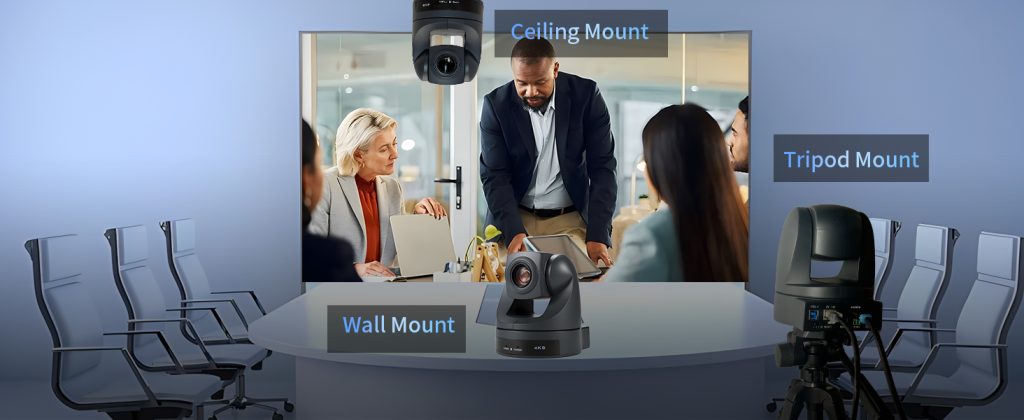
Medium Conference Rooms (6–15 people)
Recommended: SZOOMSY 4K 20X PTZ Conference Camera
Features:
- 4K UHD
- 20X optical zoom
- 54° FOV
- USB + HDMI + IP
- AI Auto Framing
Ideal for business meetings, training rooms, and classrooms.
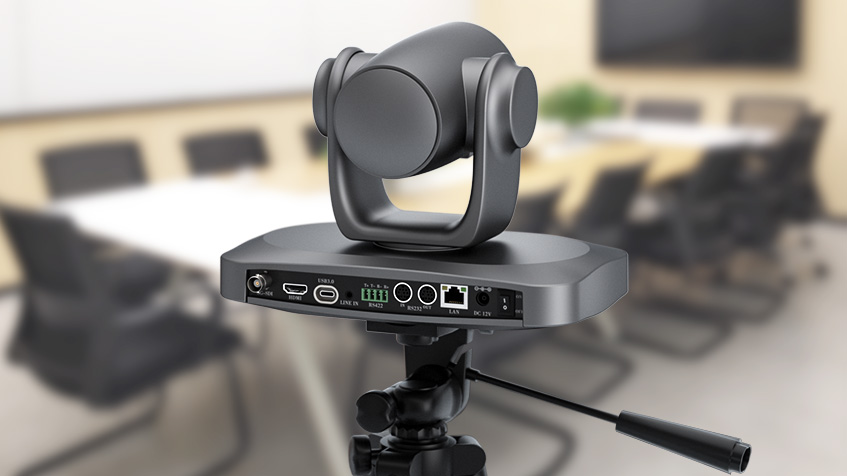
Large Meeting Rooms & Auditoriums
Recommended: SZOOMSY 4K 30X Professional PTZ Camera
Features:
- 4K @ 60fps
- 30X optical zoom
- 60° field of view
- NDI + SDI + HDMI + IP
- Full AI tracking
Built for enterprise, universities, and government spaces.
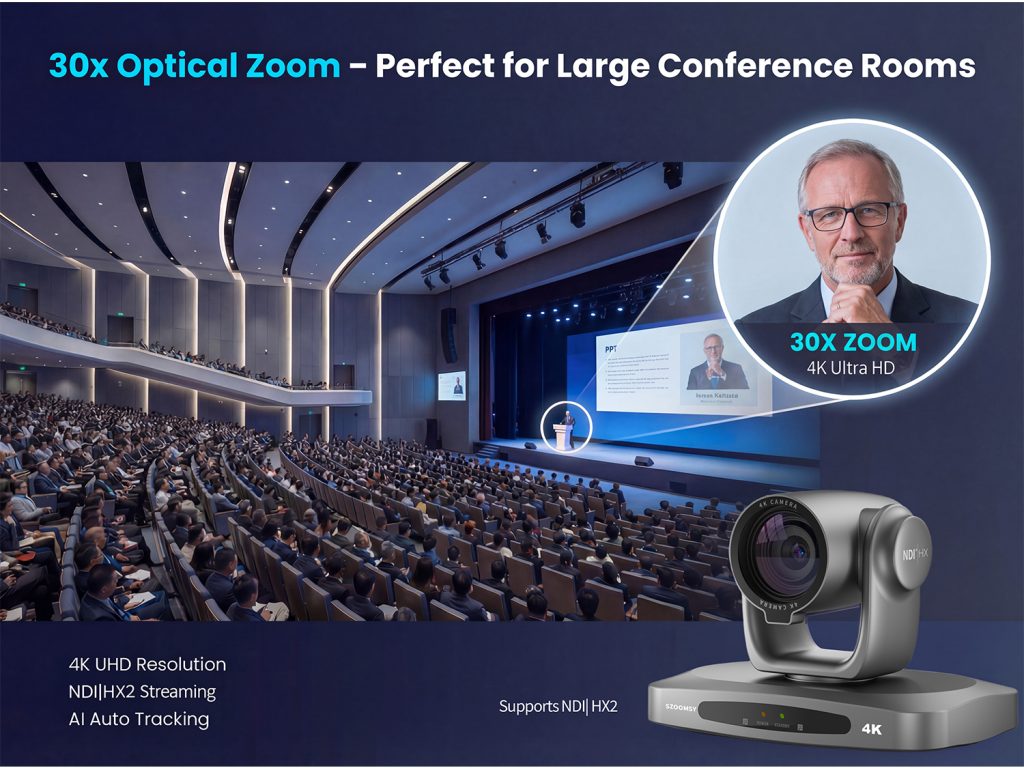
Livestreaming & Multi-Camera Production
Recommended: SZOOMSY 4K 20X NDI PTZ Camera
Features:
- 4K UHD
- 20X optical zoom
- NDI|HX2 low-latency video
- Tally light
- Multi-protocol control
Perfect for:
- Church live streaming
- Corporate events
- Education
- Multi-camera production
Final Thoughts
The best PTZ conference camera isn’t simply the one with the highest specs—it’s the one that fits your room, workflow, and budget.
By matching your application with the right optical zoom, video resolution, AI features, and connectivity, you’ll create a more professional and efficient meeting experience.
Explore SZOOMSY PTZ conference camera solutions and find the right camera for your next meeting or live production setup.
